Clinic Mitra
A product of Trilocode Technologies+91 90720 29811info@trilocode.comtrilocode.com
Clinic MitraClinic management software
Clinic management software for outpatient care

Every patient visit, from token to receipt, in one place.

Appointments, queue tokens, triage, consultations, e-prescriptions, billing, follow-ups, reports and AI analysis, with a login for every role and a portal for patients.
  • Five role-based logins
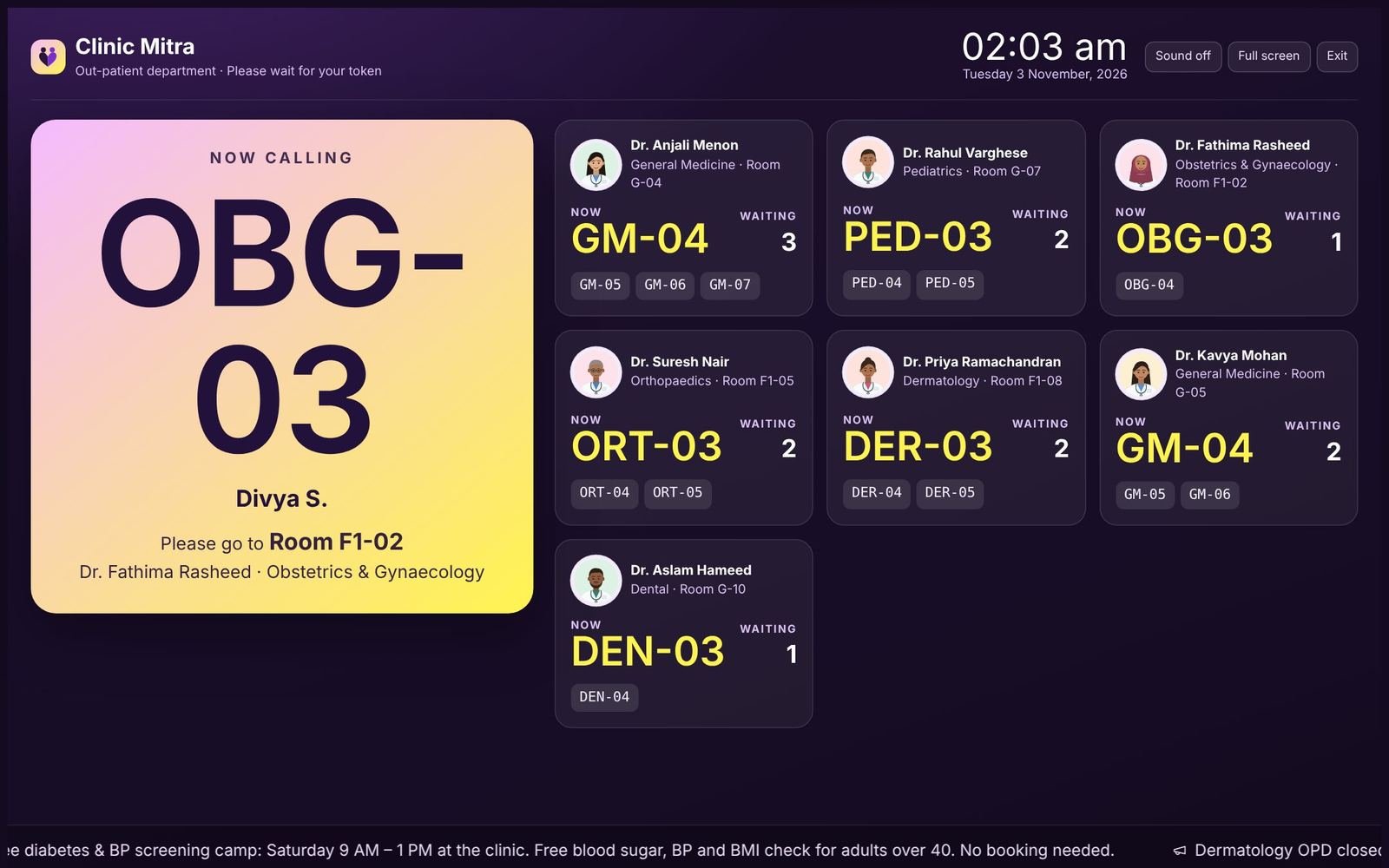
  • TV token display
  • Branded PDFs
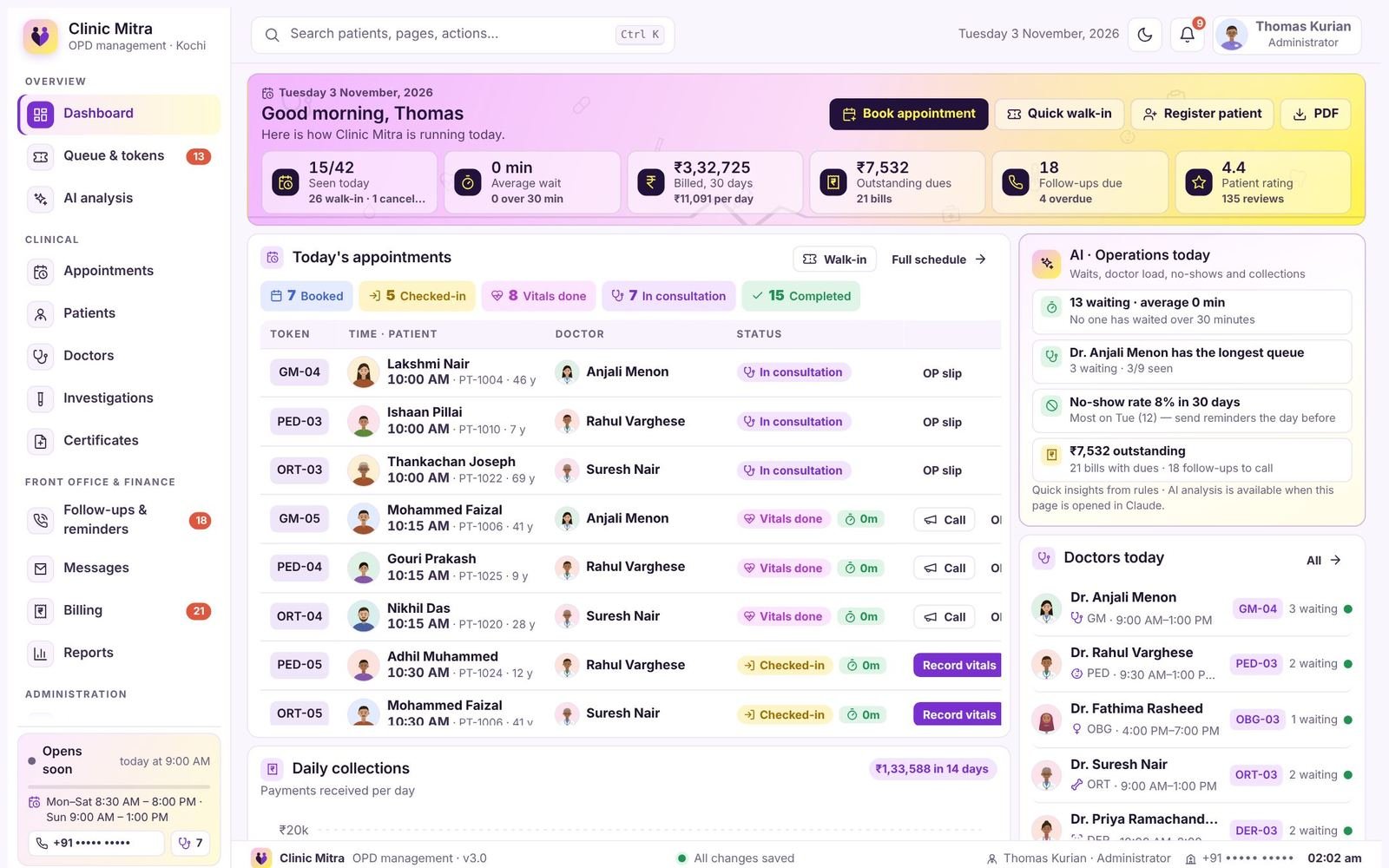
clinicmitra · dashboard
Clinic Mitra administrator dashboard showing today's appointments, waits, collections and AI insights
Waiting-room TV token display
22connected modules
5role-based logins
1shared patient record
0paper registers
The patient journey

Eight steps, handed over automatically

A token called at the desk appears on the TV and the patient's phone. Vitals from the nurse reach the doctor's queue. A prescription becomes a bill, a nurse task and a follow-up reminder.

Features

Everything an outpatient clinic needs

22 modules, five role-based logins and one shared patient record.

Complete module list

22 modules in one system

Grouped by where they are used in the clinic. Everything is included, with no separate apps to connect.

Family accounts

One login for the whole family

A parent, spouse or carer links family members to their own patient login, then books visits, follows tokens and sees reports for everyone from one phone.
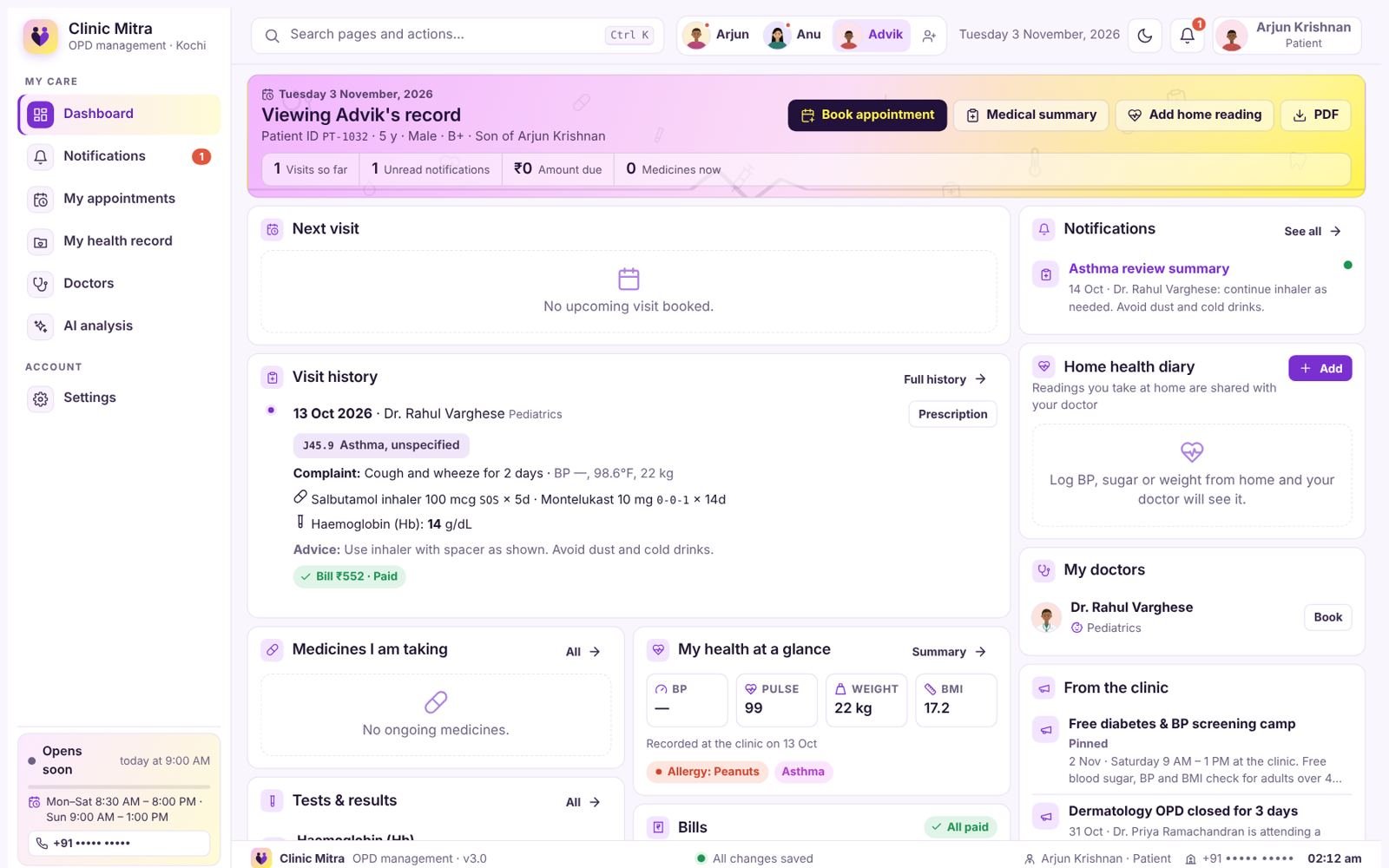
Patient portal · family switcher
Patient portal showing a family switcher with Arjun, Anu and Advik, viewing the son's record
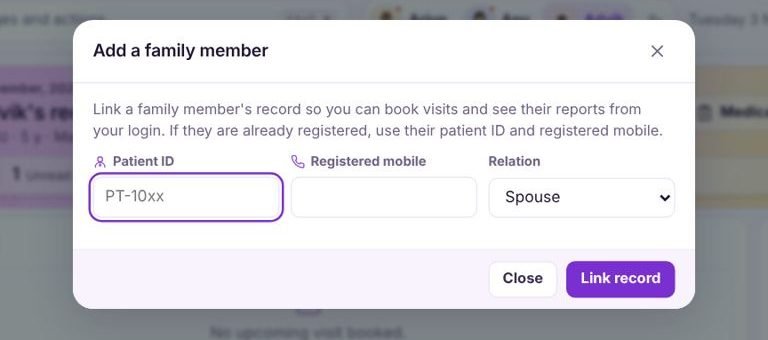
Add a family member
Add a family member form with patient ID, registered mobile and relation
How linking works
  1. Open the family barIn the patient portal, tap the add-member button next to the family names at the top.
  2. Enter the member's detailsTheir patient ID and the mobile number registered at the clinic, plus the relation: spouse, son, daughter, father, mother or other.
  3. Record linkedThe details are checked against the clinic record before linking, so only the right family can connect.
  4. Switch with one tapEach member appears as a photo chip. Tap a name to view that person's record.
What the family login can do
  • Book for anyoneAppointments, reschedules and cancellations for each member.
  • Follow every tokenSelf check-in, queue position and estimated wait.
  • Separate recordsVisits, prescriptions, results and certificates stay with each person.
  • Notifications per memberA dot on a name shows unread messages for that person.
  • Bills in one placeInvoices and payments for each member, with PDF download.
  • Home health diaryLog BP, sugar or weight for parents and children.
Privacy: linking needs the patient ID and the registered mobile number, and the clinic's staff see the same separate record for each person.
Five logins, one record

Each person signs in to a screen made for their job

Every action updates the same patient record, so the front desk, nurses, doctors and patients always see the latest information.

Why Clinic Mitra

What changes on the first day

The same clinic, the same patients. The difference is that every step is recorded once and passed on automatically.

Screens

See Clinic Mitra at work

Thirteen real screens with sample data, and a working copy of the token queue.

Product tour

Real screens from Clinic Mitra

Thirteen screens from the software, shown with sample data. Pick a screen from the list, press play for a guided tour, or click the picture to enlarge it.

      Try it yourself

      Call the next token and watch the waiting-room TV

      This is a small working copy of the Clinic Mitra queue. Press Call next for a doctor, or add a walk-in, and see the TV board update the way it does in the clinic.

      Front desk · Queue & tokens
      Clinic Mitra · Waiting room
      Now callingGM-04Please go to Room G-04 · Dr. Anjali Menon
      Please keep your token slip ready · Tokens are called in order, with urgent cases first · Thank you for your patience
      Reports and AI

      Know how your clinic is doing, every day

      Five ready-made reports, AI analysis, branded PDFs and a patient portal.

      Reports & analytics

      Know how your clinic is doing, every day

      Five ready-made reports cover money, doctors, patients, clinical work and patient feedback. Choose the last 7, 30 or 60 days, and download any report as a PDF.

      More reporting across Clinic Mitra

      Highlights

      AI analysis, PDF documents and a patient portal, built in

      Three features that save the most time for clinics using Clinic Mitra.

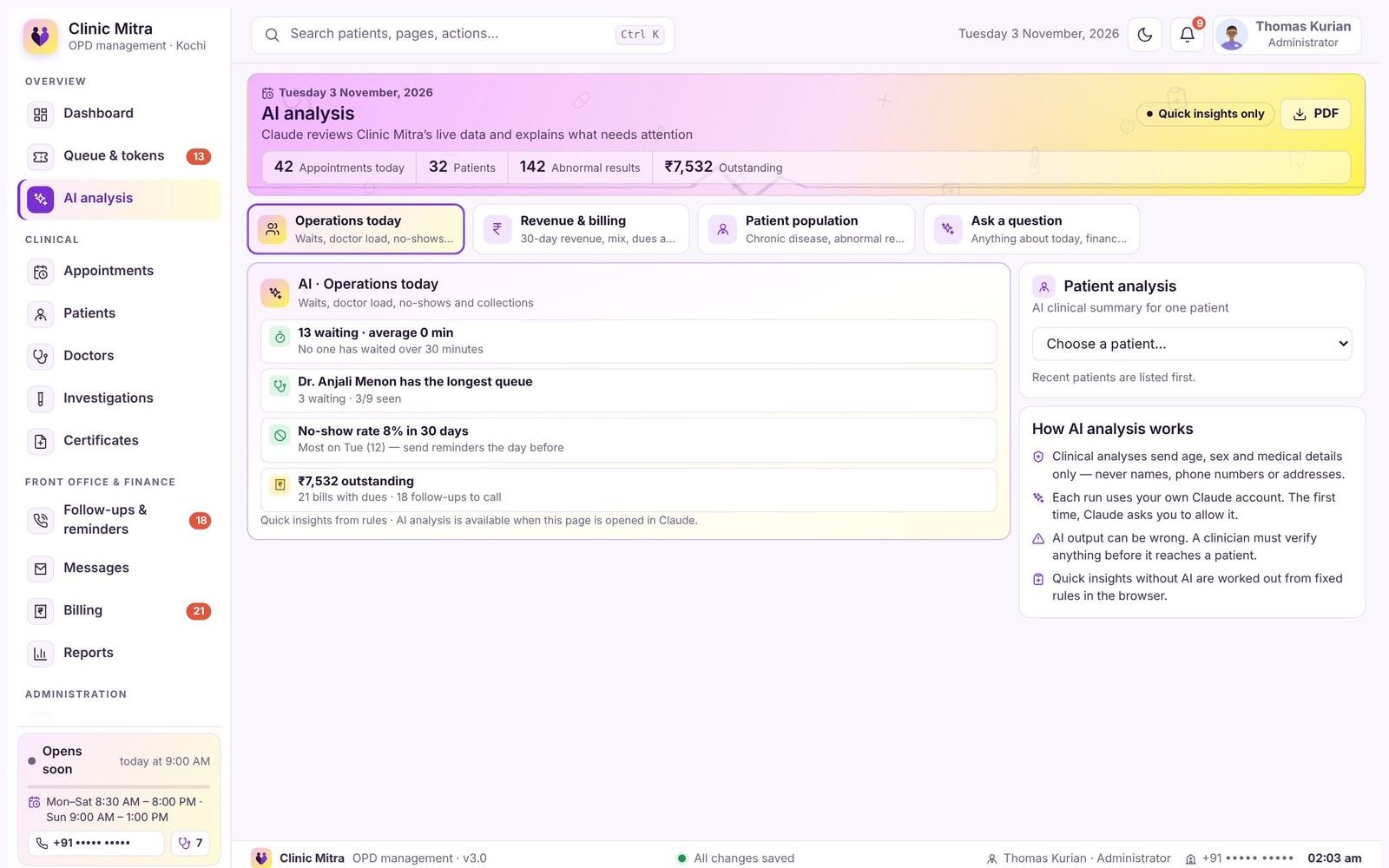
      AI analysis page with operations insights
      AI analysis

      Ask what needs attention

      Reads the clinic's live data and explains it in plain language. Quick insights appear instantly; a deeper review runs when you ask.
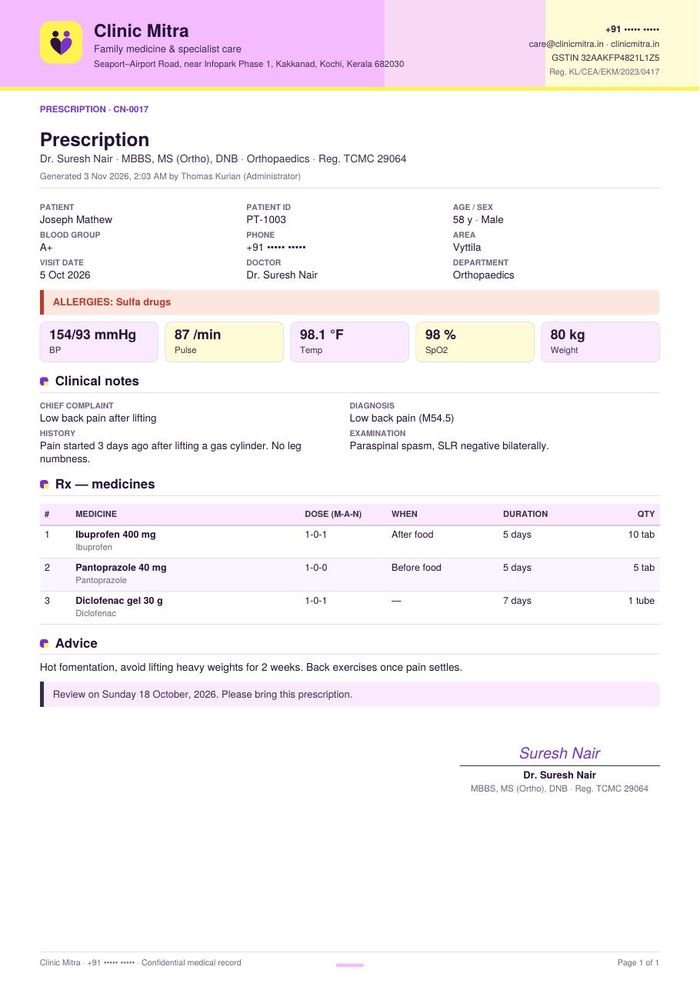
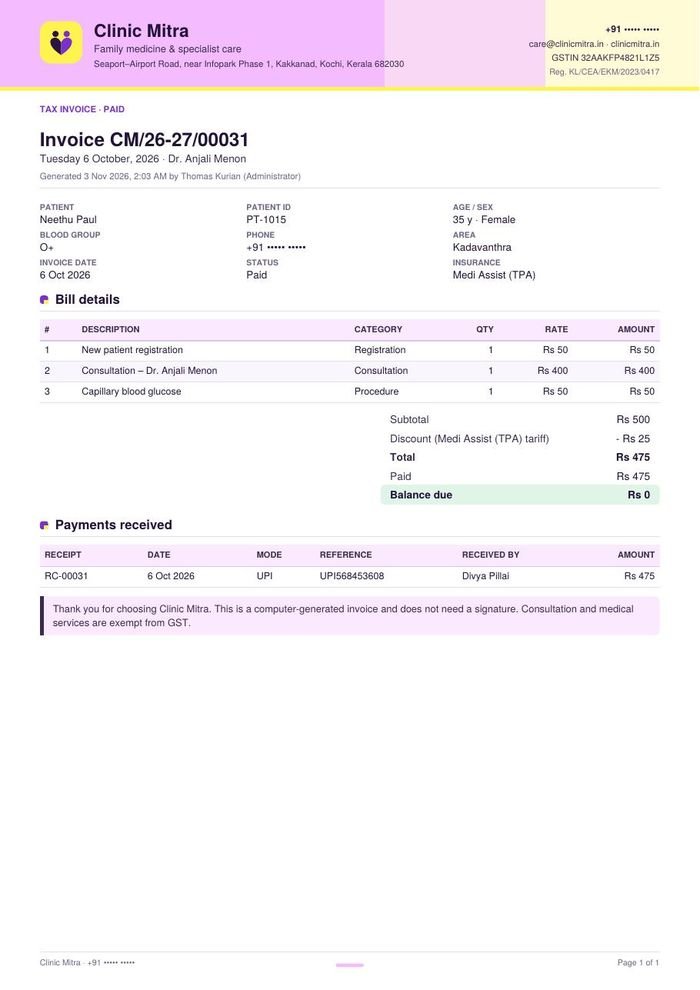
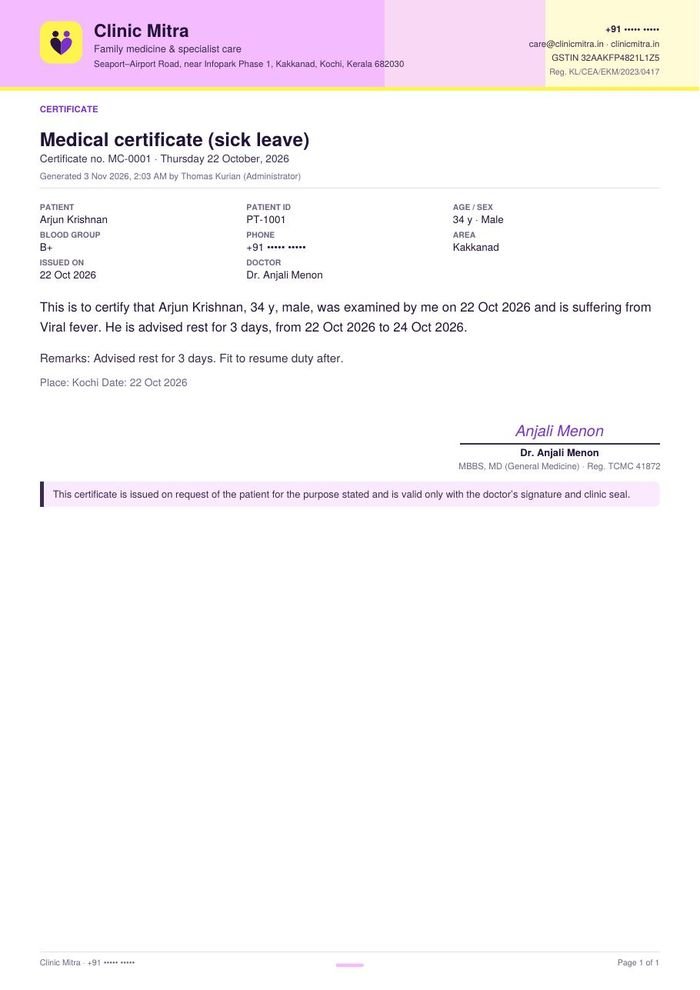
        Prescription PDFInvoice PDFCertificate PDF
        PDF documents

        Every screen as a branded PDF

        Prescriptions, invoices and certificates print on your letterhead. Dashboards and reports export with tables, charts and page numbers.
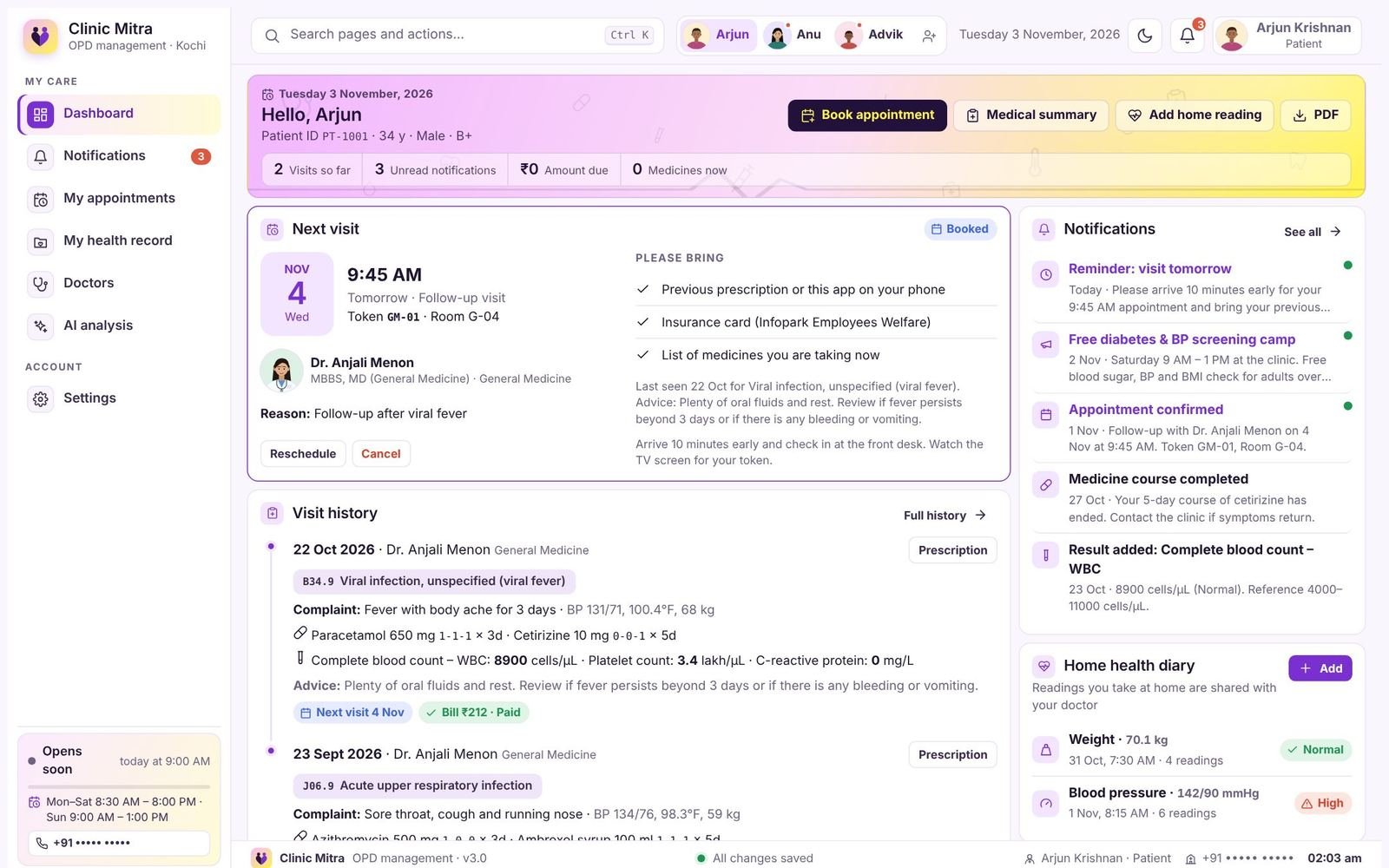
          Patient portal dashboard
          Patient portal

          Fewer "when is my turn?" calls

          Patients book, check in, follow their token and keep prescriptions, results and bills on their phone.

            Get started

            Book a demo with the Trilocode team

            Tell us about your clinic and we will show Clinic Mitra with sample data for all five roles.

            Enquire

            Book a demo or ask a question

            Tell us about your clinic. The Trilocode team will show Clinic Mitra with sample data for all five roles and answer your questions.

            Call or WhatsApp+91 90720 29811
            Emailinfo@trilocode.com
            Trilocode TechnologiesDeveloper of Clinic Mitra

            Clinic Mitra is designed, built and supported by Trilocode. Contact the Trilocode team for demos, pricing, setup and support.

            Visit trilocode.com

            Enquiry form

            Modules you're interested in
            Next you'll choose WhatsApp or email to send it.
            Getting started

            Live in about four weeks, on the screens you already have

            A typical rollout for a clinic with a few doctors. Clinic Mitra runs in a web browser on computers, tablets, phones and smart TVs.

            Questions

            Frequently asked